
When a subscriber clicks the unsubscribe link in one of your campaigns, a few things happen automatically.
In your campaign report, the unsubscribe will be reflected in the Unsubscribed count on the Overview tab. If you head into the Email History tab, that subscriber’s status will also be updated to Unsubscribed.

Outside of the report, if you visit that contact in your Contacts list, their status there will also show as unsubscribed. From this point on, they will no longer receive any campaigns from you.
If the unsubscribe was a mistake or the contact would like to be resubscribed, you can update their status manually. Head to Audience in the left sidebar, go to Contacts, and click on the contact to open their details.
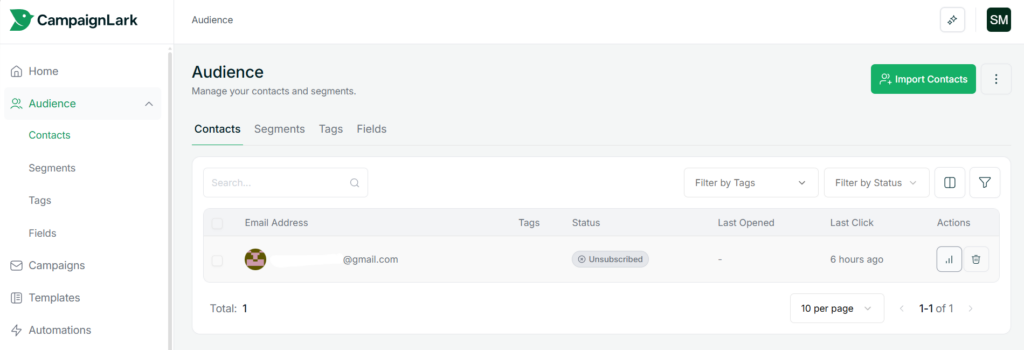
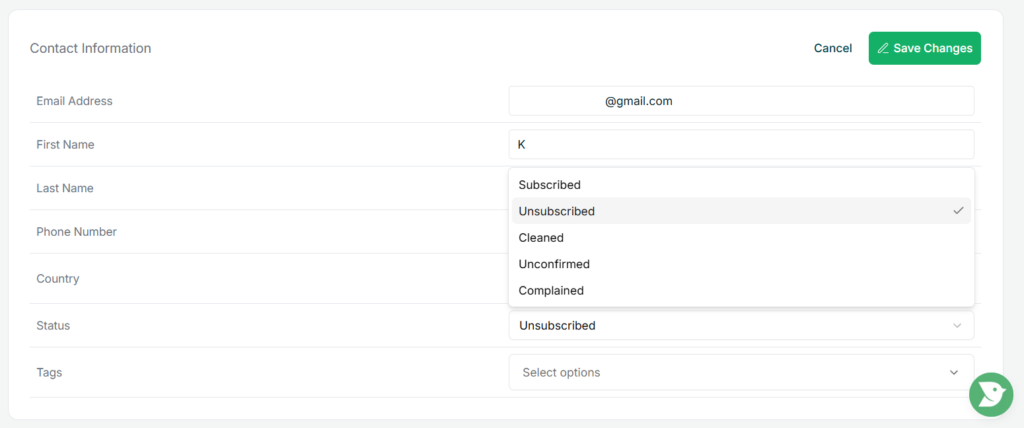
From there, click Actions and edit their status back to Subscribed. This is mostly useful in cases where a subscriber unsubscribed by mistake and reaches out to you directly.
Tips
- It is good practice to respect unsubscribes and only resubscribe a contact if they have explicitly asked you to.