
Once your workspace has been approved, it will be assigned a default hourly sending limit.
This limit is in place to help protect the platform from abuse and to maintain strong sending reputations across the system.
Requesting a Higher Sending Limit
If you need to send emails at a higher volume, you can request an increase to your hourly sending rate.
Inside your dashboard, you will see a button labelled “Change Hourly Limit”.
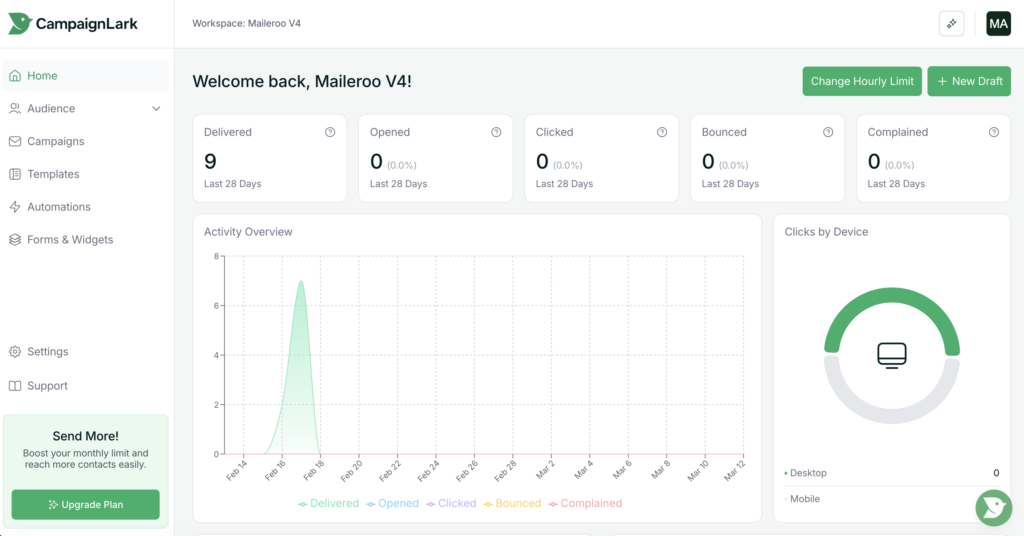
Clicking this button will open a modal window where you will be asked to complete a short form.
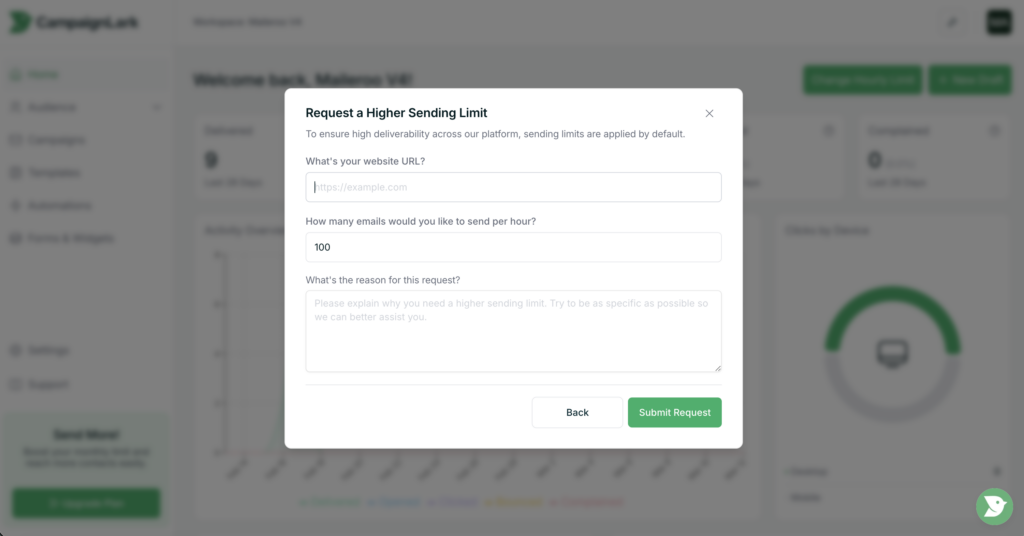
Completing the Request
The form will ask a few questions about your sending activity and intended usage.
Please ensure that your responses are accurate and genuine, as this helps our team review and process your request more efficiently.
Providing clear and honest information can significantly reduce approval time.
Approval Process
Once the form has been submitted, the CampaignLark team will review your request.
If approved, your workspace will be upgraded to the new hourly sending limit, allowing you to send emails at a higher rate.