
Workspaces are the foundation of how you organise and manage your marketing inside CampaignLark. This guide will walk you through creating your first workspace and explain how they work.
What Is a Workspace?
A workspace acts like a dedicated environment for a business, brand, or client.
Each workspace is completely isolated, meaning you can keep everything organised without affecting other projects.
Inside a workspace you can:
- Store and manage contacts
- Create and send campaigns
- Build automations
- Design and save email templates
- Manage separate billing
- Collaborate with different team members
You can create as many workspaces as you need, all under the same CampaignLark account.
This makes it perfect for agencies, businesses with multiple brands, or anyone managing email marketing for multiple clients.
Creating Your First Workspace
When you create a CampaignLark account for the first time, you will be guided through a simple setup process that includes creating your first workspace.
During setup you will complete the following steps:
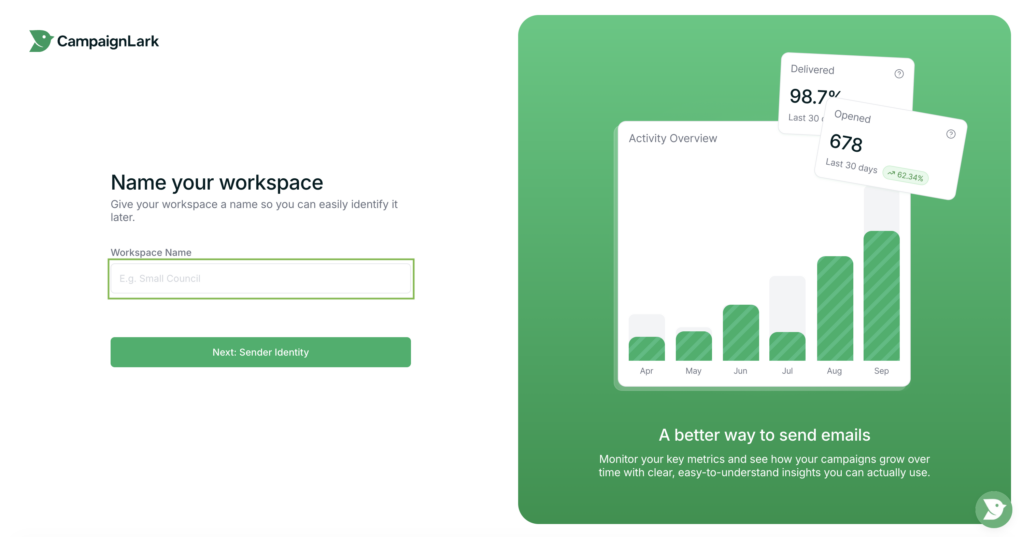
Workspace Name
Choose a name that represents your business, brand, or client.
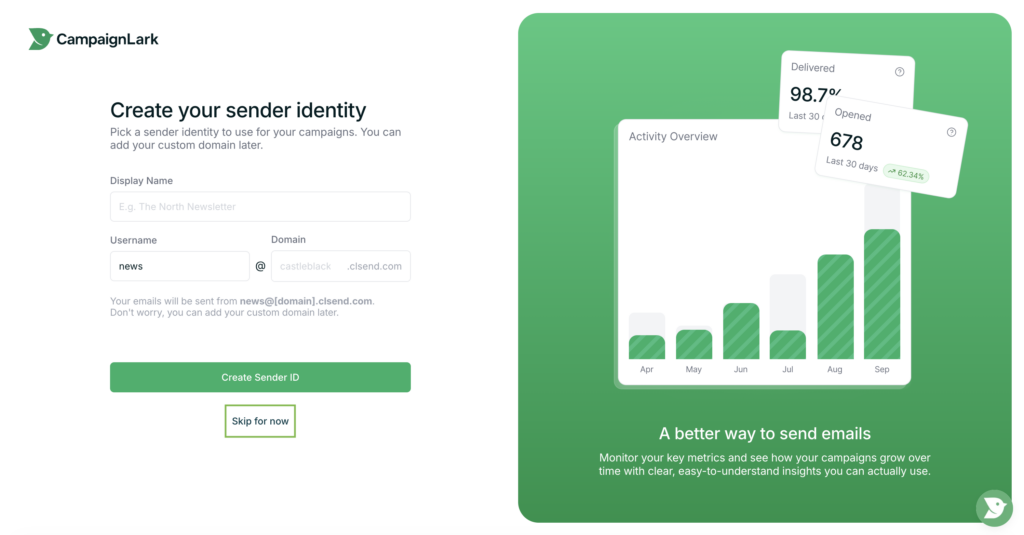
Sender Identity
Set the email address and sender name used when sending campaigns.
(You can skip this step and configure it later if needed.)
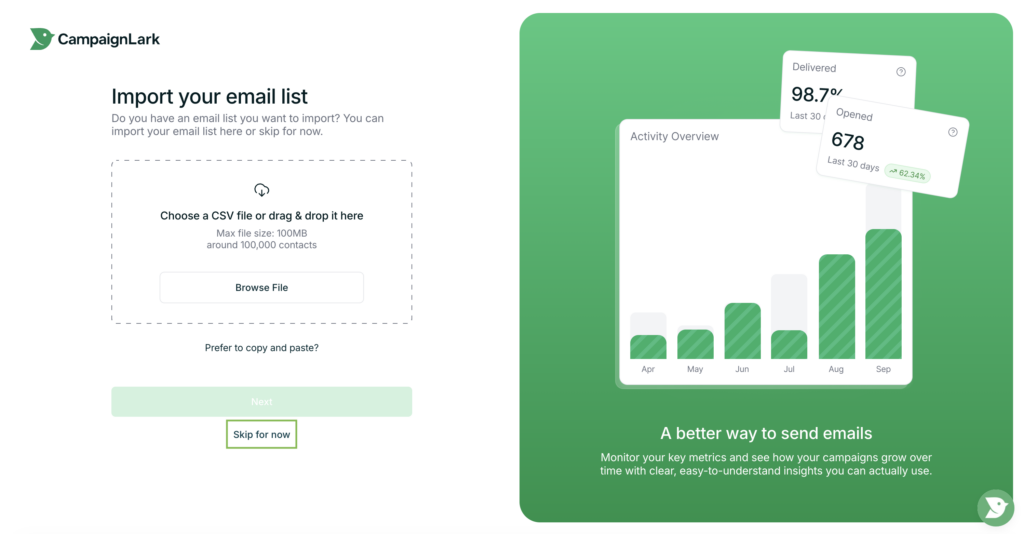
Contact List
Create or import your first contact list.
(This can also be skipped and completed later.)
Once these steps are completed, your workspace will be created.
Creating an Additional Workspace
If you want to create another workspace after your account is set up:
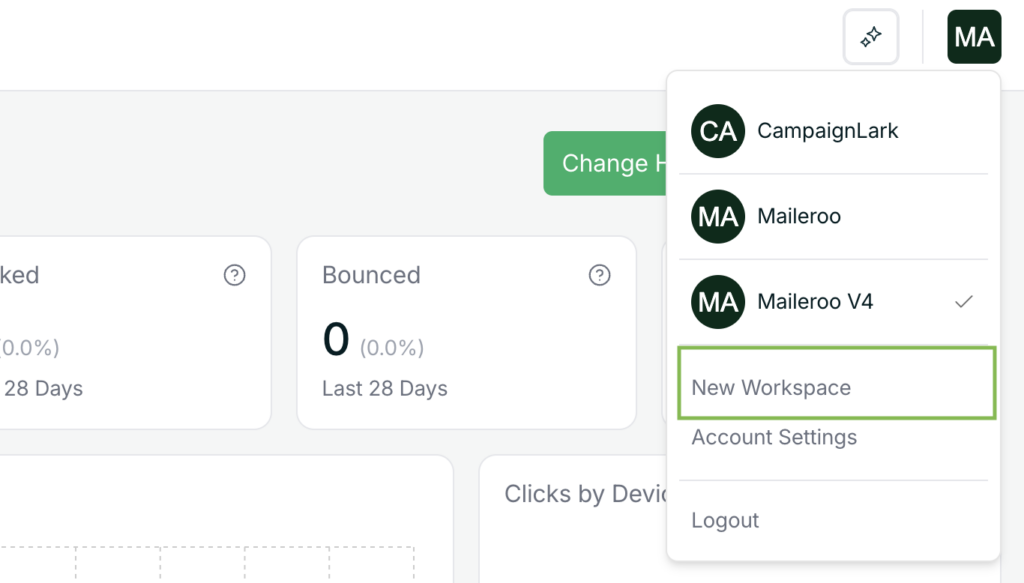
- Go to your CampaignLark dashboard
- Click your profile icon in the top-right corner
- Select New Workspace from the dropdown menu
Workspace Approval
Before sending emails, each workspace must go through a quick approval process.
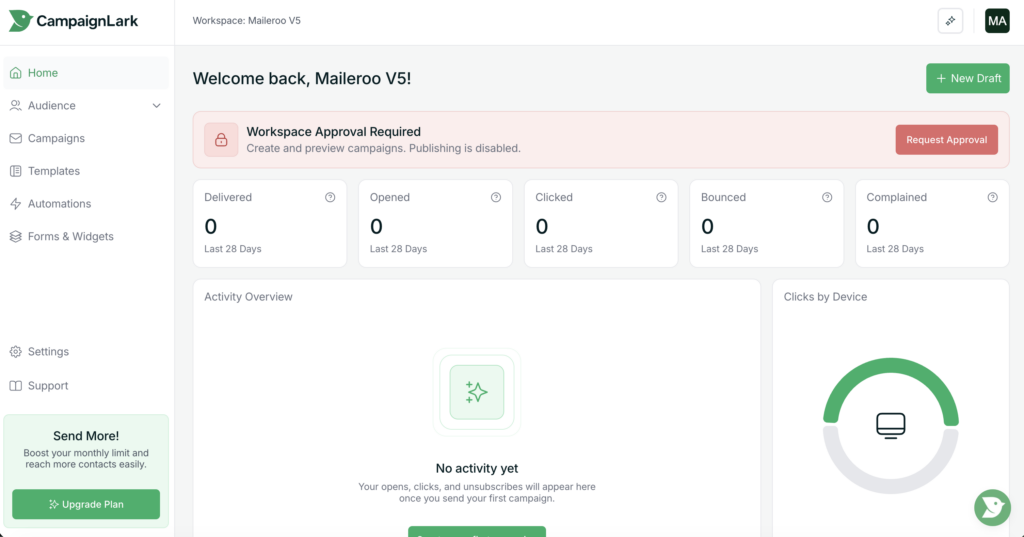
Once your workspace is created, you will see a notification in your dashboard asking you to request approval.
Simply click the notice and follow the steps to submit your request.
You’re Ready to Go
Once your workspace is created and approved, you can begin:
- Importing contacts
- Creating campaigns
- Building automations
- Designing email templates
Your workspace will now act as a fully isolated marketing environment for that specific client, brand, or project.