
Workspace properties are custom fields that store reusable information about your workspace. They allow you to define values once and reuse them across your emails using merge tags.
For example, instead of typing your brand name in every email, you can create a workspace property and insert it wherever needed.
How to Create a Workspace Property
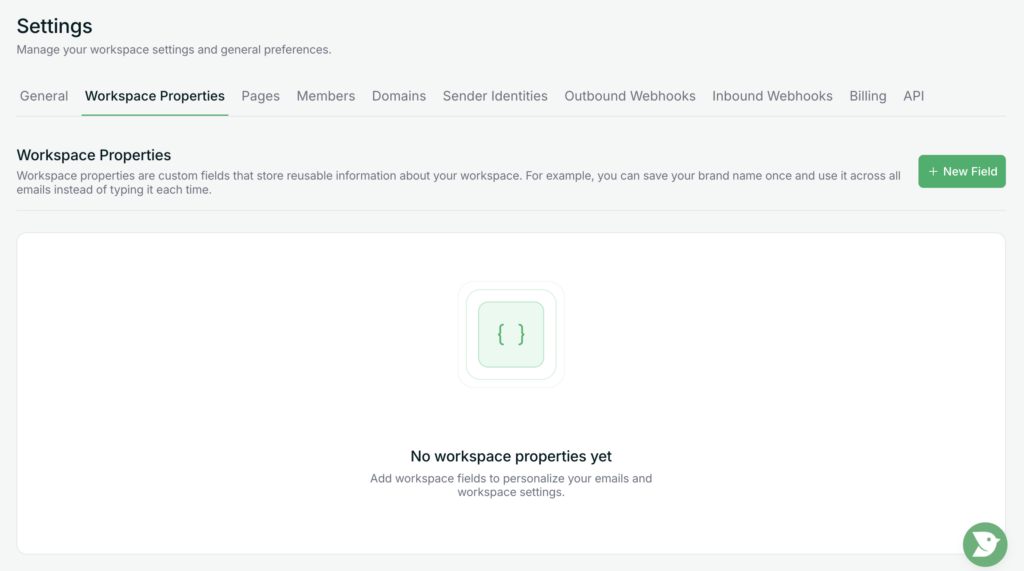
- Navigate to Settings in the left sidebar.
- Select the Workspace Properties tab.
- Click the “+ New Field” button.
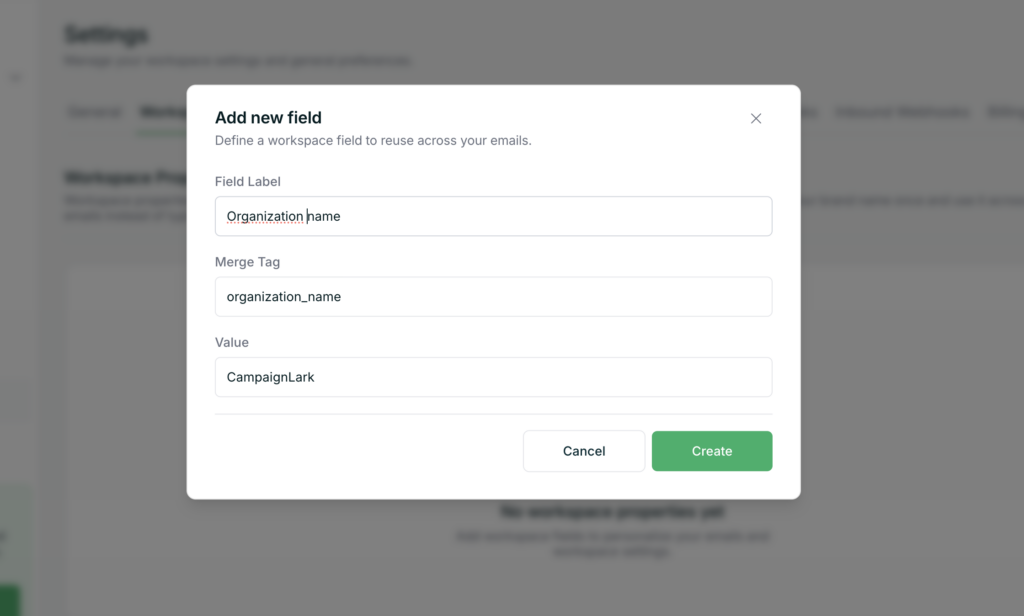
A form will appear where you can configure your property:
- Display Name
Enter a unique name for your property. This will automatically generate a corresponding merge tag. - Value
Enter the value you want this property to represent when used in emails.
- Save the field once completed.
How It Works
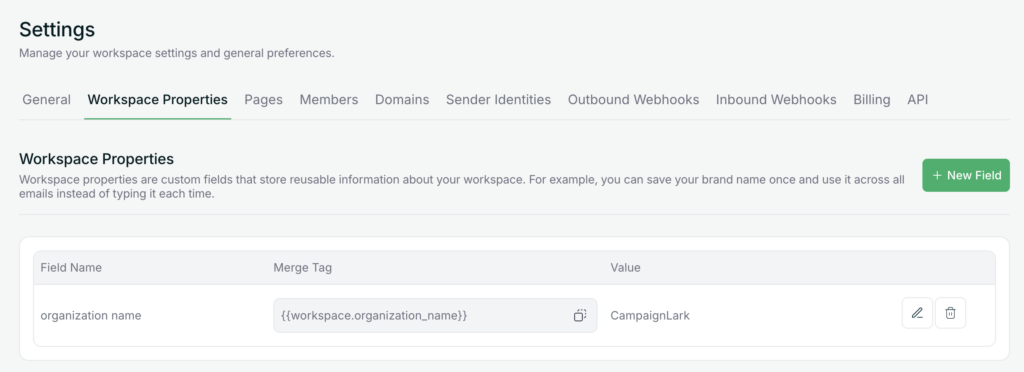
Once created, you can use the generated merge tag in your emails. When your campaign is sent, the merge tag will automatically be replaced with the value you defined.
Example
- Display Name: Organization_name
- Merge Tag: Organization_name
- Value: CampaignLark
You can then use the merge tag in your emails, and it will dynamically insert “CampaignLark” wherever it appears. Simply take this merge_tag and add it to any text field inside your email or hyperlink if it is a link via this method {{workspace.organization_name}}
{{ workspace.merge_tag }}
Tips
- Use clear and consistent naming for easier management.
- Ideal for things like brand name, contact details, addresses, or repeated messaging.
If you need help setting this up, feel free to contact support.