
You can invite and manage team members directly from your workspace settings.
Adding a Team Member
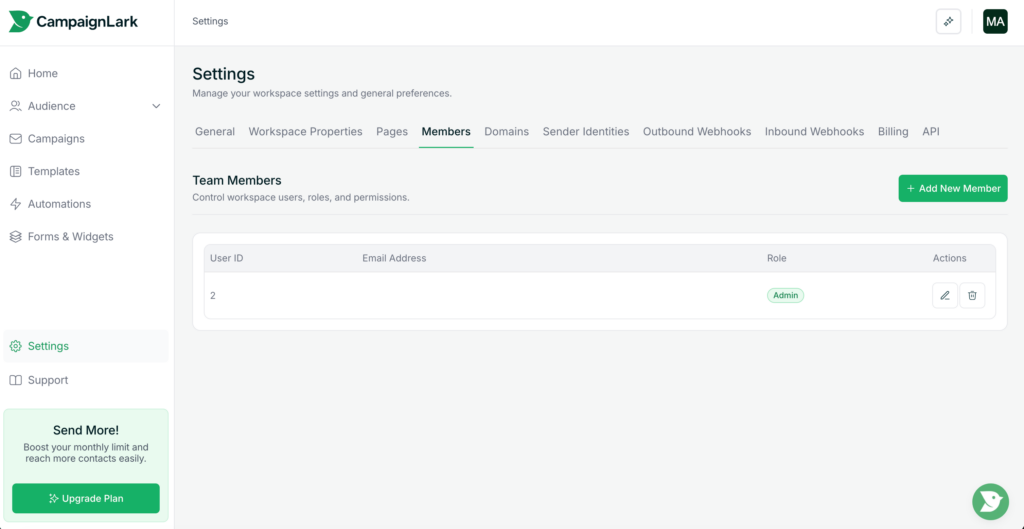
- Navigate to Settings from the left sidebar.
- Click on the Members tab.
Here, you’ll see a list of all current team members in your workspace.
- Click “+ Add New Member.”
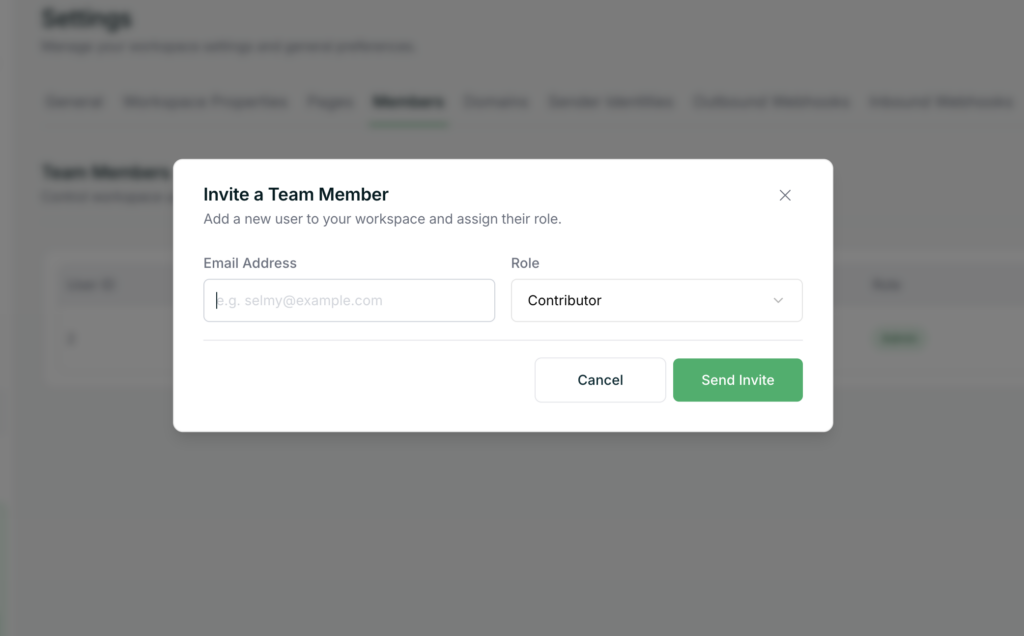
- Enter the user’s email address.
- Select their role.
- Submit the invitation.
The user must have an active CampaignLark account to join the workspace.
Checking Member Limits
To view how many team members your workspace can have:
- Go to Settings.
- Click on the Billing tab.
Your plan will outline any limits related to team members.
Available Roles
CampaignLark uses a role-based access control (RBAC) system. Each role inherits permissions from the roles below it.
- Admin
Full access across the entire workspace, including billing, members, and settings. This role effectively owns the workspace. - Manager
Can manage contacts, imports, domains, API keys, and most operational features. Inherits Editor and Contributor permissions. - Editor
Can create and manage campaigns, templates, and automations, but cannot manage audience data or billing. Inherits Contributor permissions. - Contributor
Base role. Can create and work on campaigns, templates, and automations but has limited control over advanced features.
How Permissions Work
- Roles are hierarchical, meaning higher roles automatically inherit all lower-level permissions.
- Some actions are restricted to specific roles:
- Only Admins can manage billing, members, and workspace settings
- Only Managers and above can modify audience data (contacts, segments, tags, imports)
- Only Editors and above can schedule campaigns or activate automations
Tips
- Assign roles based on responsibility to maintain security and control.
- Use Contributors for content creation and Managers for data control.
- Limit Admin access to trusted users only.
If you need help managing team access, feel free to contact support.