
What Is the Manage Preferences Page?
The Manage Preferences page allows your recipients to control how they receive emails from you.
From this page, subscribers can:
Update their subscribed topics
Manage their email preferences
Optionally change their email address
Providing this page helps give recipients more control over the emails they receive and can help improve overall engagement.
How to Find the Page
Inside your workspace, navigate to Settings and then click Pages.
Within the Pages section, locate and click on the Manage Preferences page. This will open the page editor.
Enabling or Disabling the Page
Once the editor has loaded, click on the Settings tab located in the left sidebar navigation menu.
Here you will see several toggle options available for the page.
To activate the page, simply toggle Enable.
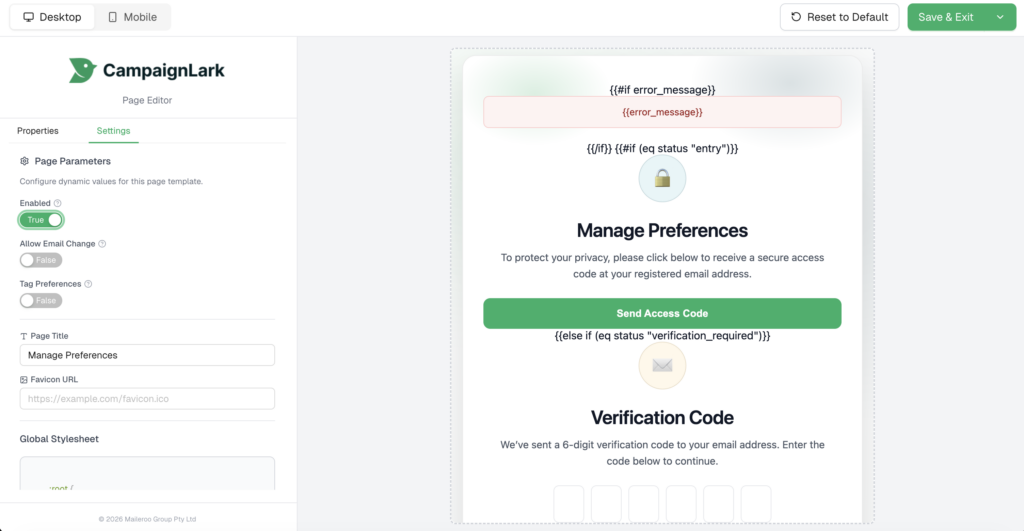
Once enabled, your recipients will be able to access the Manage Preferences page and update their email preferences accordingly.
You can return to this section at any time to disable the page if needed.