
Passkeys allow you to securely sign in to your account without needing a password, using your device’s built-in authentication (like Face ID, fingerprint, or PIN).
Adding a Passkey
- Click your profile icon in the top-right corner.
- Select “Account Settings.”
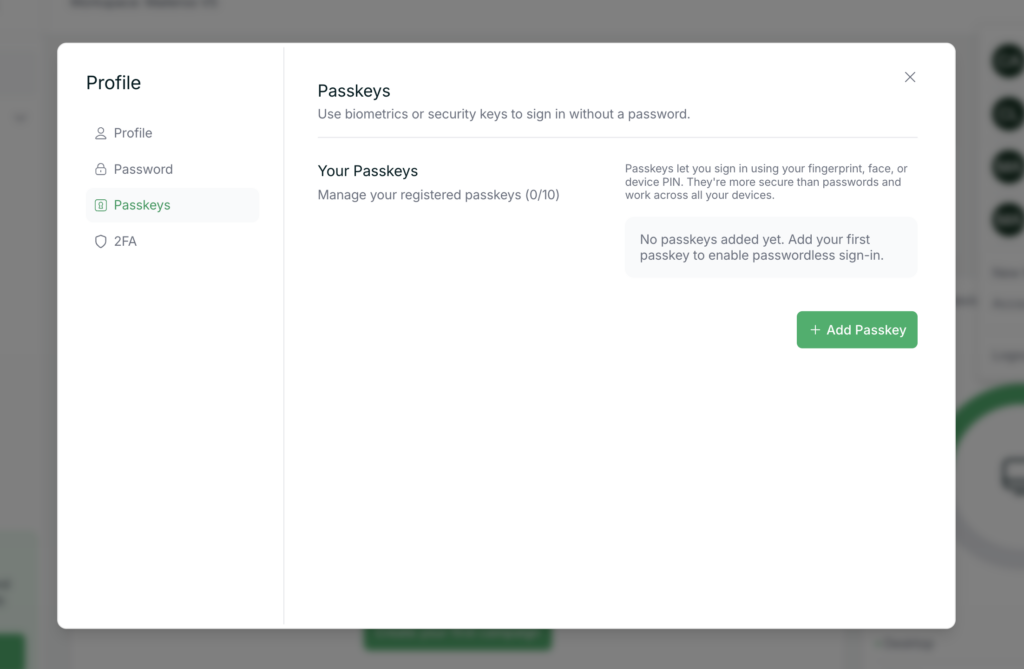
- Navigate to the “Passkey” tab.
- Click “Add Passkey.”
- Choose from the available options on your device (e.g. Face ID, fingerprint, or device PIN).
- Follow the prompts to complete setup.
What Happens Next?
Once added, you’ll be able to sign in using your passkey instead of your password, making login faster and more secure.
Tip
- Passkeys are tied to your device, so you may want to add more than one for backup.
- Make sure your device supports passkeys (most modern phones and browsers do).
If you have any trouble setting this up, reach out to support for help.