
What is an API Key?
An API key is a secure token that allows you to connect your applications to CampaignLark. It enables you to interact with our system programmatically, such as sending emails, managing contacts, or automating workflows.
Creating an API Key
- Navigate to Settings in your workspace.
- Click on the API tab.
- Click the option to create a new API key.
Once created, your API key will be available for use within your applications.
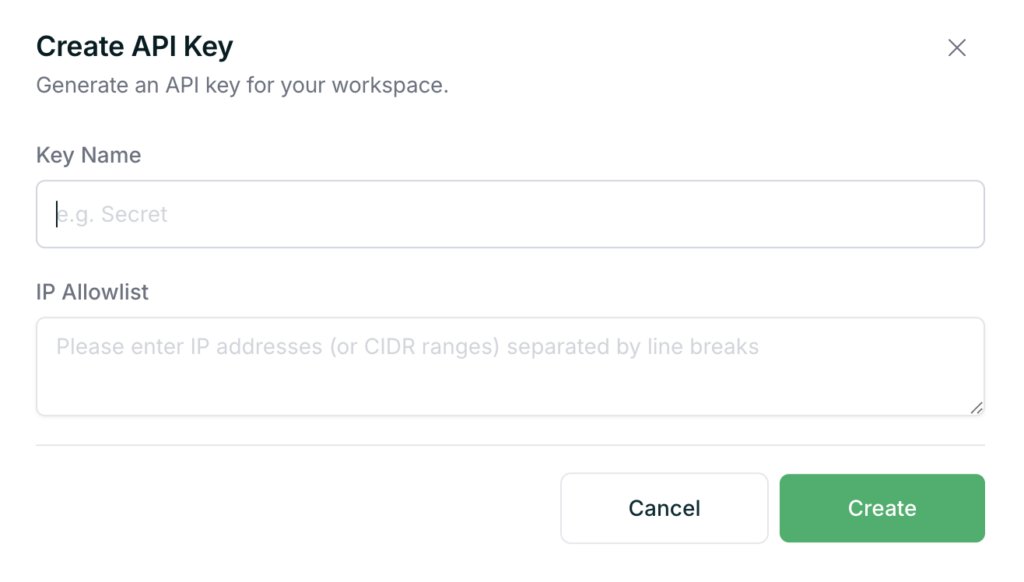
- Add a name for your key
- Specify specific IP addresses that you only wish for this API key to be accessible from, otherwise if you don’t there won’t be any restrictions on what platform can use this API key.
Compromised API Key?
If you have a compromised API key, feel free to delete it through the same menu or click the “…” icon and click ‘Roll’ this will generate a new API key that you can implement back into your system.
Managing Your API Key
Within the API section, you will also be able to:
- View your API keys
- Monitor your daily usage
- Manage or regenerate keys if needed
Using the API
To explore what you can do with the API, visit our developer documentation:
https://docs.campaignlark.com/
The API provides access to a growing range of endpoints, allowing you to extend CampaignLark functionality into your own systems and workflows.
Tips
- Keep your API key secure and do not share it publicly.
- Regenerate your key if you believe it has been compromised.
If you need help getting started, feel free to contact support.