
We provide a few built-in options to help keep your contact list clean and reduce low-quality or fake submissions. These are all available under the Options tab in your form editor.
Prevent Duplicate Submissions
The Overwrite Contact setting controls what happens when someone submits the form using an email address that already exists in your workspace. By default, this is set to No, prevent duplicate form submissions, which blocks the same email from being added again.
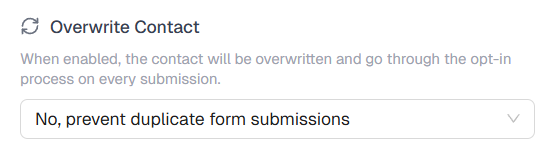
If you set it to Yes, overwrite contact on every submission, the existing contact record will be updated and they will go through the opt-in process again.
Block Proxy and VPN Submissions
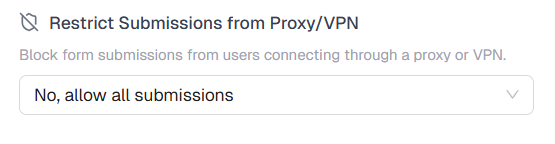
Proxies and VPNs mask the real identity and location of a user and are commonly used by bots and spammers to submit forms in bulk while avoiding detection. Enabling Restrict Submissions from Proxy/VPN blocks any submission coming from these connections, making it harder for automated tools to flood your form with fake signups.
Block Disposable Emails
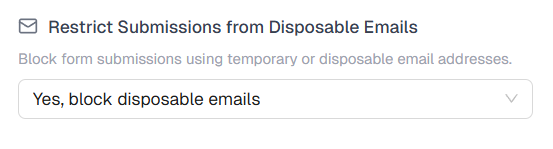
Disposable email addresses are temporary inboxes that anyone can create in seconds and abandon shortly after. They are commonly used to bypass signup requirements without providing a real address. Enabling Restrict Submissions from Disposable Emails detects and blocks these addresses at submission, so they never make it into your contact list.
Use Double Opt-In
With double opt-in enabled, every new subscriber receives a confirmation email and must click a link to verify their address. Until they do, they are added to your contacts as Unconfirmed. Once they confirm, their status changes to Subscribed.
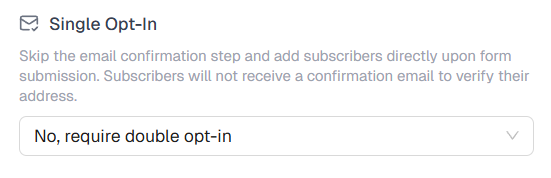
This means even if a bot or someone submits a random email address, it will never be confirmed and will not affect your active list. It is one of the most reliable ways to ensure your subscribers are real people who actually want to hear from you.
Tips
- Keep in mind that enabling the Proxy/VPN restriction may occasionally block legitimate users who browse with a VPN. It is worth considering if your audience is likely to use one.
- If you want to show your support, you can enable Show CampaignLark Branding from the Options tab. It adds a small “Powered by CampaignLark” badge to your form, and we genuinely appreciate it.